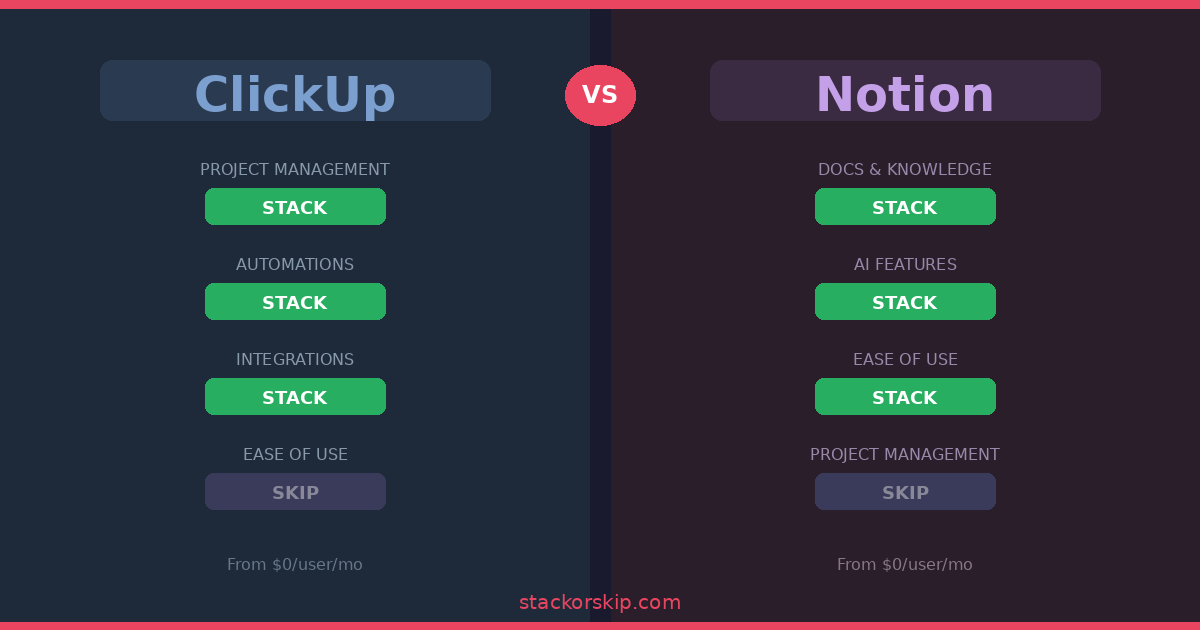
Quick verdict: ClickUp is better for teams that need structured project management with built-in time tracking, Gantt charts, and automations. Notion is better for individuals and small teams who want a flexible, beautiful workspace for docs, wikis, and lightweight project tracking. Both are excellent — but they serve different people.
Why This Comparison Matters
Notion and ClickUp are two of the most popular productivity tools on the market, and they’re getting closer to each other every year. ClickUp keeps adding better docs and wikis. Notion keeps adding better project management features. But at their core, they’re still fundamentally different tools.
ClickUp was built as a project management platform first, with docs and collaboration layered on top. Notion was built as a flexible workspace and knowledge base first, with task and project management added over time. That DNA shows up in everything — from how they handle tasks to how they price their plans.
Here’s our honest comparison based on deep research into both platforms.
Feature-by-Feature Breakdown
Project Management
ClickUp: Stack ✅
ClickUp treats project management as its core purpose, and it shows. You get native Gantt charts, task dependencies, workload views, sprint management, and built-in time tracking — all ready to use immediately. Tasks live inside a clear hierarchy of spaces, folders, and lists, which makes it easy to organize complex projects with multiple teams.
Recurring tasks work natively with daily, weekly, or monthly schedules, and future instances show up on your calendars and timelines automatically. If you’re managing client projects, product sprints, or any work with hard deadlines and dependencies, ClickUp gives you the structure to do it without any setup.
Notion: Skip for complex PM ❌
Notion handles project management through databases, which are flexible but require significant setup. You can create boards, calendars, timelines, and list views — but task dependencies, recurring tasks, and Gantt charts require workarounds, formulas, or third-party integrations. There’s no built-in time tracking.
If you’re a small team doing straightforward task management (kanban boards, simple to-do lists), Notion works fine. But if project management is your primary need, you’ll spend hours building what ClickUp gives you out of the box.
Winner: ClickUp
Documentation and Knowledge Management
Notion: Stack ✅
This is where Notion truly shines. The block-based editor is best in class — clean, intuitive, and genuinely enjoyable to write in. Every piece of content is a “block” you can drag, rearrange, and nest. Pages can contain sub-pages infinitely, making it natural to build organized wikis, company handbooks, meeting notes, and knowledge bases.
Relational databases allow you to connect information across your workspace in powerful ways. A project page can link to related meeting notes, team members, and documents seamlessly. For teams that live in their docs, Notion is hard to beat.
ClickUp: Decent but secondary
ClickUp Docs have improved significantly, and you can create wikis, SOPs, and project documentation within the platform. But the writing experience doesn’t match Notion’s polish. The editor feels more utilitarian, and the organizational structure for documents isn’t as intuitive. It works well enough if ClickUp is already your main tool, but nobody chooses ClickUp specifically for its docs.
Winner: Notion
AI Features
Notion: Stack ✅
Notion AI is more mature and deeply integrated into the workspace. It helps with writing, summarizing notes, extracting action items from meeting documents, and answering questions across your entire workspace. The AI feels like a natural part of the editing experience rather than a bolted-on feature. As of 2026, Notion supports multiple AI models and has introduced AI Agents for autonomous workflows.
The catch: full AI access requires the Business plan ($20/user/month annually). The Plus plan only gives you a limited trial.
ClickUp: Solid but costs extra
ClickUp Brain focuses more on task and project management — generating task descriptions, breaking work into subtasks, summarizing comment threads, and answering questions about projects. It’s useful if ClickUp is your main PM tool. However, ClickUp Brain requires a separate subscription starting at $7/user/month on top of your existing plan.
Winner: Notion (more integrated, included in Business plan)
Integrations and Automations
ClickUp: Stack ✅
ClickUp offers over 1,000 native integrations and a visual automation builder that lets you create “if this, then that” workflows without coding. You can automate task assignments, status changes, notifications, and much more directly within the platform.
Notion: Catching up
Notion’s native integration list is smaller and more selective. While popular tools like Slack, GitHub, and Google Drive connect natively, many integrations require Zapier or API work. Notion has added database automations, but they require more technical knowledge to set up compared to ClickUp’s visual builder.
Winner: ClickUp
Ease of Use
Notion: Stack ✅
Despite its flexibility, Notion is surprisingly intuitive. New users can start creating pages and organizing content within minutes. The clean, minimal interface reduces cognitive overload, and the slash-command system makes finding features quick and natural.
ClickUp: Steeper learning curve
ClickUp’s power comes at a cost: complexity. The sheer number of features, views, and customization options can overwhelm new users. Most teams need a few weeks to find their workflow within ClickUp. It’s not that it’s badly designed — there’s just a lot to learn.
Winner: Notion
Pricing Comparison
| Plan | ClickUp | Notion |
|---|---|---|
| Free | Unlimited tasks, unlimited users, 100MB storage | Unlimited pages for individuals, 5MB upload limit |
| Starter/Plus | $7/user/month (annual) | $10/user/month (annual) |
| Business | $12/user/month (annual) | $20/user/month (annual) |
| Enterprise | Custom pricing | Custom pricing |
| AI | $7/user/month add-on | Included in Business plan |
For budget-conscious teams, ClickUp offers better value. Its free plan supports unlimited users (Notion’s free plan is really only practical for individuals), and its paid plans start lower. However, if you need AI features, Notion’s Business plan bundles them in, while ClickUp charges separately.
Who Should Use What?
Stack ClickUp if you:
- Manage complex projects with deadlines, dependencies, and multiple team members
- Need built-in time tracking and workload management
- Want powerful automations without coding
- Run an agency, dev team, or operations-heavy business
- Want a free plan that supports your whole team
Stack Notion if you:
- Prioritize documentation, wikis, and knowledge management
- Want a beautiful, flexible workspace you can customize endlessly
- Are an individual, freelancer, or small team (under 10 people)
- Value a clean writing and editing experience
- Want AI features built into your workflow
Skip both if you:
- Need enterprise-grade resource management — look at Monday.com or Asana
- Want the simplest possible task manager — look at Todoist
- Need heavy spreadsheet/database work — look at Airtable
The Stack or Skip Verdict
ClickUp: STACK ✅ for teams where project management is the primary need. It gives you more PM features out of the box, better automations, and a more generous free plan. If your team thinks in tasks, deadlines, and workflows, ClickUp is the right tool.
Notion: STACK ✅ for individuals and teams where knowledge management and documentation come first, with project tracking as a secondary need. If your team thinks in documents, wikis, and interconnected information, Notion is the right tool.
The bottom line: These tools overlap, but they’re not interchangeable. ClickUp is a project management tool that also does docs. Notion is a knowledge workspace that also does projects. Pick the one that matches your primary need, and you won’t be disappointed.
Have a question about Notion or ClickUp? Leave a comment below and we’ll help you decide.
Disclosure: This article contains affiliate links. If you sign up through our links, we may earn a commission at no extra cost to you.
Related articles:
- Best Project Management Tools for Remote Teams 2026
- ClickUp Review 2026: Stack or Skip?
- Notion Review 2026: Stack or Skip?