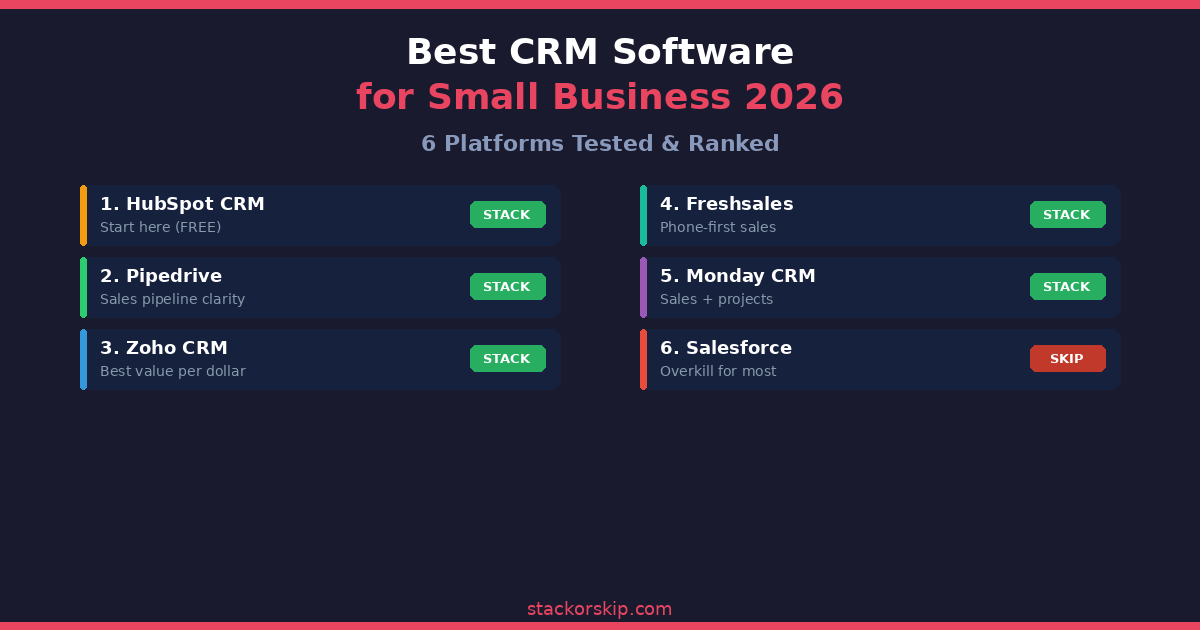
Picking the best CRM for a small business in 2026 really boils down to one honest question: what are you actually trying to do with it? If you’re just tired of losing leads and want something that works right out of the box, HubSpot Free is the no-brainer place to start. If your whole world is the sales pipeline and you want it crystal clear, Pipedrive feels like a breath of fresh air. If you want a ton of power without emptying your wallet, Zoho CRM is the smart money move. And if anyone tries to convince your five-person team that it needs Salesforce… they’re probably trying to sell you a solution to a problem you don’t have yet.
The Real Cost of CRM: What Small Businesses Actually End Up Paying
Every CRM looks like a bargain at “starting at $14/month.” But CRMs are a lot like printers — the machine is cheap, but the ink (adding users, unlocking automation, or storing more contacts) is where they quietly drain your budget.
| CRM | Free Plan | Per User/Month | 5-User Monthly Cost | The Catch |
|---|---|---|---|---|
| HubSpot | Yes (unlimited users) | Free / $20 (Starter) | $0 – $100 | Pro features start at $500/mo |
| Pipedrive | No (14-day trial) | $14 – $99 | $70 – $495 | No free plan; email features limited |
| Zoho CRM | Yes (3 users) | $14 – $52 | $70 – $260 | Steeper learning curve |
| Freshsales | Yes (3 users) | $9 – $59 | $45 – $295 | Built-in phone burns credits |
| Salesforce | No (30-day trial) | $25 – $330 | $125 – $1,650 | Implementation costs $15K+ |
| Monday CRM | Yes (2 users) | $12 – $28 | $60 – $140 | CRM is secondary to project management |
The pattern is clear: one user feels affordable for everything. Add a real team and the differences become obvious fast. Think about where you’ll be in 12 months — not just where you are today.
The 6 Best CRMs for Small Business
1. HubSpot CRM — The “Just Start Here” Choice
The Verdict: STACK ✅ (for the Free version)
This is the one I’d pick for almost any small business that doesn’t have a CRM yet. HubSpot’s free CRM is genuinely the best first CRM out there. Unlimited users, unlimited contacts, a clean deal pipeline, email tracking, meeting scheduling, and basic reports — all for $0. No trial, no credit card, no sneaky catches. You just sign up and go.
Their Starter plan ($20/user/month) adds some helpful automation and removes the HubSpot branding. It’s a gentle step up when you’re ready.
The honest warning: HubSpot is a bit like a hotel you can check into for free, but once you get comfortable and want the nicer room, the bill changes dramatically. The jump from Starter to Professional is $500+/month plus a $1,500 onboarding fee. That’s a $6,000/year leap that most small businesses aren’t ready for. Use the free tier until it genuinely hurts, and when it does, look at Pipedrive or Zoho before reflexively clicking “Upgrade.”
Best for: Any small business flying without a CRM. Start here, learn what you actually need, then decide whether to stay or move on.
2. Pipedrive — The “I Just Want My Pipeline to Make Sense” Pick
The Verdict: STACK ✅
If sales clarity is your biggest headache, Pipedrive feels like it was made specifically for you. It keeps things beautifully simple: every deal, contact, and task lives in a visual drag-and-drop pipeline. You open it up and instantly see what needs to happen next. No clutter, no dashboards full of metrics you’ll never check.
For founders or small sales teams who personally touch every deal, it removes so much mental friction. It doesn’t care about your “brand sentiment” or “customer journey mapping.” It cares about one thing: are your deals moving forward?
Essential plan starts at $14/user/month. Most teams land happily on the Advanced plan ($34/user/month) for automations and better email tools.
One honest limitation: It’s a pure sales scalpel, not an all-in-one suite. If you also need marketing campaigns, landing pages, or lead nurturing, you’ll eventually want to add something else — or go with HubSpot instead.
Best for: Small sales teams (2–10 people) who live and breathe their pipeline.
3. Zoho CRM — The “Insane Value” Choice
The Verdict: STACK ✅
Think of Zoho as the warehouse club of CRMs. The layout is a bit messy, it takes a minute to figure out where everything is, but the amount of tech you get for the price is kind of absurd.
Custom workflows, AI forecasting, multi-channel messaging, lead scoring, and serious analytics — all available at prices that would make Salesforce blush. Free plan gets you three users. Standard ($14/user/month) already includes real automation and email insights. Even the Professional tier ($23/user/month) gives you tools that competitors lock behind $50+ plans.
The trade-off: The interface feels like it was designed by engineers who prioritize function over form. Most new users say it takes 1–2 weeks to feel comfortable, compared to a few hours with Pipedrive or HubSpot. If you have more time than money, Zoho is the best value on the planet. If you want something that looks pretty from day one, you might find it frustrating.
The hidden win: Zoho has 50+ other business apps (invoicing, helpdesk, projects, marketing) that all connect natively. Go all-in and you basically get an entire business operating system for a fraction of what separate tools would cost.
Best for: Growing small businesses that want sophisticated features but refuse to pay enterprise prices.
4. Freshsales — The “We Live on the Phone” Pick
The Verdict: STACK ✅
If your team spends the day making calls, Freshsales just feels different from everything else on this list. Built-in phone and email live right inside the CRM. Make a call, record it, and it automatically logs to the contact — no extra apps, no integrations, no switching between tabs.
Their AI (Freddy) gives you lead scoring, deal insights, and smart next-step suggestions. For high-volume outbound teams, having everything in one interface eliminates the tool-switching that quietly kills productivity.
Free for three users. Paid plans start at just $9/user/month, with the Pro plan ($39/user/month) adding AI forecasting and multiple pipelines.
One thing to watch: The built-in phone uses credits, and heavy callers can burn through them fast. A team making 50+ calls a day can quietly double their monthly bill if nobody’s tracking usage. Check your numbers in the first month so you don’t get surprised on the invoice.
Best for: Outbound sales teams who want CRM + calling in one clean interface. If your sales process is mostly email-based, the phone features become expensive window dressing.
5. Monday Sales CRM — The “Sales + Delivery in One Place” Pick
The Verdict: STACK ✅
Monday is what happens when a project management tool adds solid CRM features — and for certain businesses, that’s actually a massive advantage. If your work blurs the line between selling and delivering (agencies, consultants, service businesses), Monday lets you track deals and move them straight into project boards without switching apps.
When a client signs, you don’t “hand off” the data to a different system. You just move the row to the delivery board. For service businesses, that seamless handoff is worth more than any fancy sales feature.
Starts at $12/user/month. Free plan covers two users.
Honest limitation: If pure sales power is your main need, Monday CRM will feel like a project management tool wearing a CRM costume. The sales features are solid — but not best-in-class. If you need lead scoring or complex email sequences, it’ll feel like a toy compared to Pipedrive or HubSpot.
Best for: Service businesses and agencies that want sales pipeline + project delivery in the same workspace.
6. Salesforce Starter — Skip It (For Now)
The Verdict: SKIP ❌
Salesforce is the most powerful CRM in existence. Nobody disputes that. But power you can’t use is just an expensive subscription.
The Starter plan begins at $25/user/month, which honestly doesn’t sound bad. But that price is a distraction. The real cost of Salesforce is the $15,000+ implementation fee you’ll pay a consultant to set it up properly — plus the weeks of formal training your team needs before anyone can actually use it productively. For a five-person shop, you could easily spend more on getting Salesforce running than you would on three full years of Pipedrive.
When it actually makes sense: Only if you’re dead certain you’ll grow to 50+ sales reps within two years. In that case, it saves you from a painful CRM migration later. It’s the “buy once, cry once” option.
Best for: Small businesses with aggressive, concrete growth plans. Everyone else: start simpler and migrate only when — and if — you actually outgrow it.
How to Choose: The Simple Decision Guide
“I don’t have a CRM yet.” → Start with HubSpot Free. Zero risk, zero regret. (But don’t hand over your credit card until you’ve looked around.)
“I need to see my deals clearly every day.” → Pipedrive. Nothing beats that visual pipeline.
“I want the most features for the least money.” → Zoho CRM. Best value on the planet — if you can handle the learning curve.
“My team lives on the phone.” → Freshsales. Built-in calling changes everything.
“We sell and deliver projects.” → Monday CRM. Keeps everything in one place.
“We’re scaling fast to 50+ reps.” → Salesforce. Future-proof it — and budget-proof it too.
“Someone told me I need Salesforce.” → You probably don’t. Not yet.
The bottom line: Most small businesses don’t fail because they picked the wrong CRM. They fail because they picked one that was too complicated, and their team stopped using it after two weeks. Pick the tool that feels easiest to use — not the one with the most icons on the dashboard.
Disclosure: This article contains affiliate links. If you sign up through our links, we may earn a commission at no extra cost to you.
Related articles:
- Canva vs Figma 2026: The “Fast-Food” Design vs. The “Architectural” Build
- Zapier vs Make 2026: The “Simplicity Premium” vs. The “Operation Tax”
- Best Email Marketing Platforms 2026: Stop Paying the “Success Tax”
- Semrush vs Ahrefs 2026: Which One Actually Pays for Itself?
- Best AI Writing Tools 2026: 10 Tools Researched & Ranked
- Notion vs ClickUp 2026: Which Project Management Tool Wins?